
QUILT PLANNING NOTES · OCTOBER 25, 2026
Design your own quilt, one decision at a time.
You do not need to settle every detail at once. Start with a small layout, try the fabrics you own, then work towards a plan you can actually make.
This guide uses preview images from Cloth & Colour, our Mac and Windows quilt designer in development. You can apply the planning steps with graph paper or another quilt design program, too.
1. Decide on the finished size
Start with how the quilt will be used: a wall hanging, a lap quilt or a bed quilt. Measure the space rather than relying on a size name alone. On a bed, allow for the mattress depth and the amount of overhang you like. Write down the finished width and height before choosing the number of blocks.
For a simple rectangular layout without sashing, multiply the finished block width by the number of columns and the finished block height by the number of rows. Four columns and five rows of 10-inch finished blocks make a 40-by-50-inch centre. Borders and sashing add to that size. Finished dimensions are not the same as the dimensions of pieces you cut.
2. Start with a block you can test
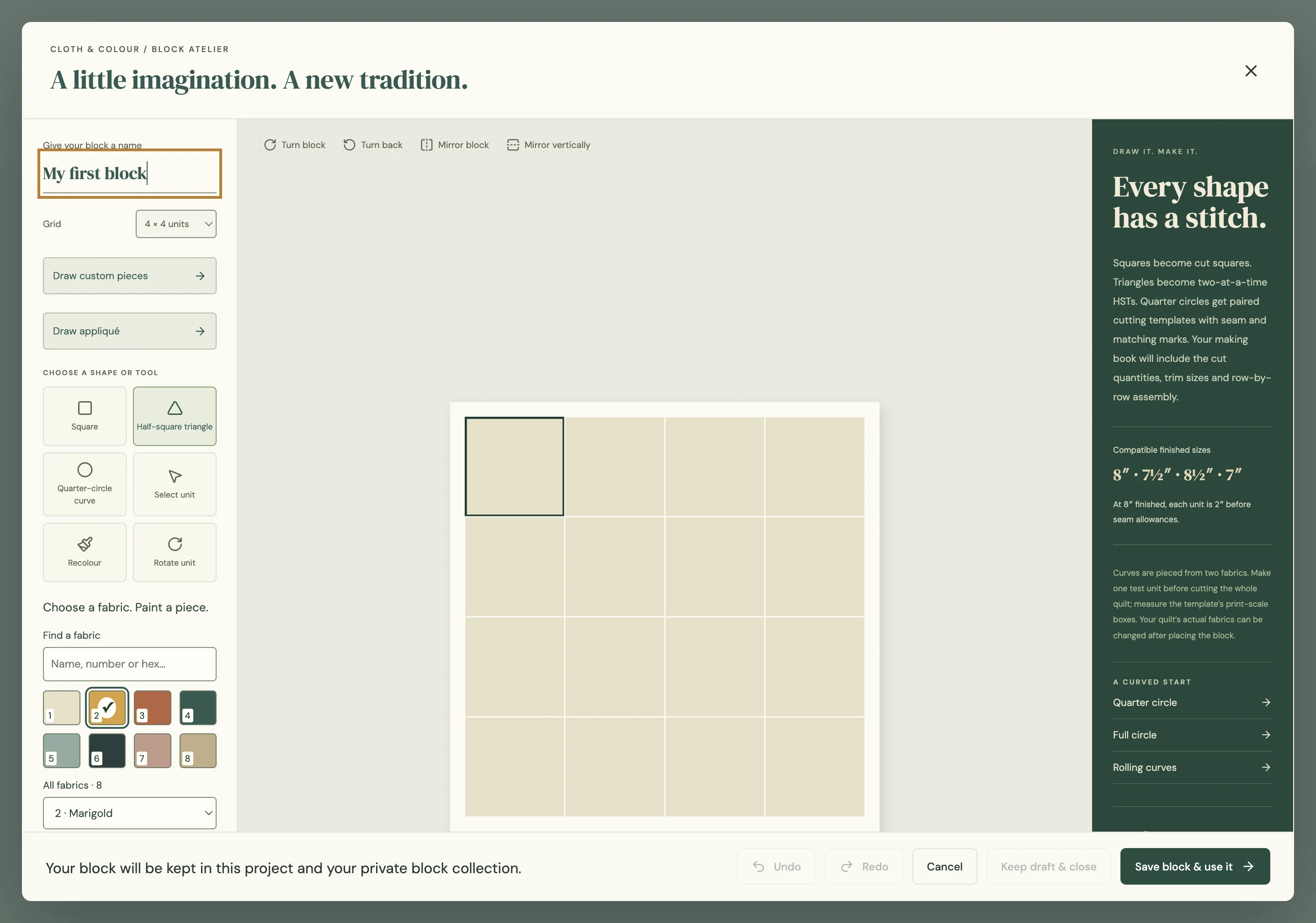
A square divided into a few pieces can produce a surprising number of designs. Try light and dark arrangements before adding more seams. Rotate a block clockwise and counterclockwise, then mirror it horizontally or vertically. Step back to look at the pattern created between neighbouring blocks.
When drawing a custom pieced block, think about how you would assemble it. Straight lines on screen do not guarantee an easy sewing sequence. Keep seam intersections in mind and try a physical sample. For a larger animal, plant or other feature design, check both the whole image and the construction of its individual blocks.
3. Build contrast before chasing exact colours
Choose a background and one or two contrasting fabrics first. Light, medium and dark values help the shapes read clearly. A beautiful fabric can disappear beside another print of similar value. Looking at a small preview, or taking a greyscale photograph of your physical fabric pull, can help you spot that problem.
Change individual pieces rather than replacing every instance of a colour unless that is what you intend. Keep a saved version before trying a major change. Compare two layouts side by side and give yourself time to look again with fresh eyes.
4. Photograph fabric so the fabric fills the frame
Lay the fabric flat in even light. Hold the camera parallel to it and fill the frame with fabric, leaving out the table, hands, labels and shadows. Avoid flash glare and heavy filters. If an edge of the table slips into the shot, crop it away before using the photo as a swatch.
Include enough of the print to show its character. Measure a motif or a known distance on the fabric so you can set a sensible repeat size in the app. A small floral and a large floral can look similar if both photos are stretched to fill the same block. Photograph directional prints in the orientation you plan to use.
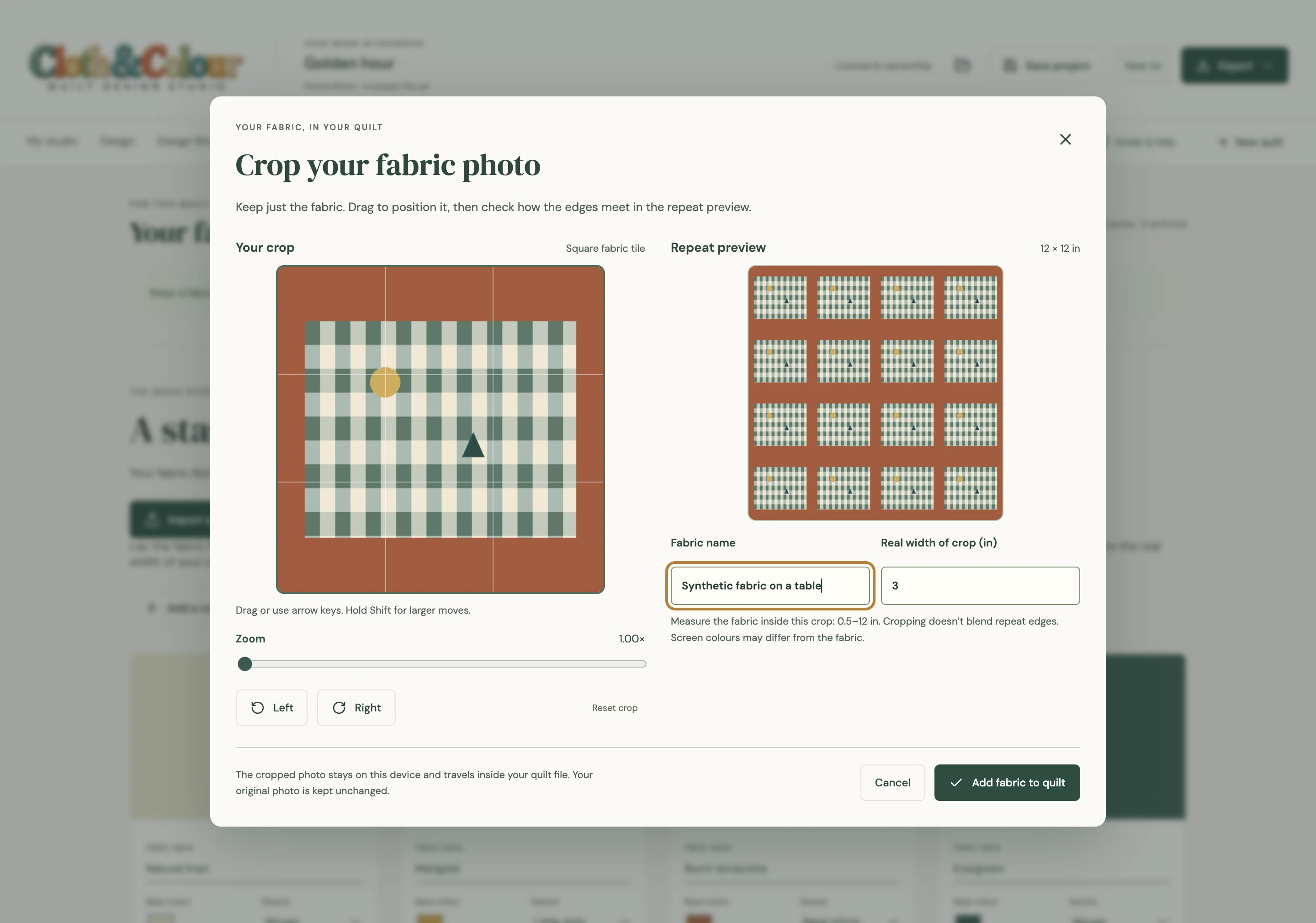
A fabric photo is a visual planning aid. Cameras, displays and room lighting all affect colour. It does not guarantee an exact colour match or automatically turn an arbitrary photograph into a sewable quilt pattern.
5. Try the whole layout
Alternate blocks, rotate a few and look for secondary shapes. Leave room for a border if the centre needs a quieter edge. Check how a large feature design meets the rest of the quilt: a fox or floral motif may need more breathing room than a repeating geometric block.
Decide where you want attention to go. Too many strong prints can compete with the piecing, while a restrained palette can make a complicated arrangement easier to read. Save the project with a descriptive name so you can return to it after experimenting.
6. Check the making plan before you cut
Look for a fabric list, cutting information, piece labels and a placement map. Read the assumptions behind yardage estimates, including fabric width, seam allowance and waste. Allow for directional prints, matching, shrinkage and the way you prefer to cut. Check the back and binding separately from the quilt top.
For actual-size templates, use the print instructions supplied with the pattern or software. Check the calibration mark with a ruler and make sure the printer has not scaled the page to fit. A digital preview or PDF inspection does not replace that physical check.
Finally, sew a test block. Measure it, press it and check how the seams meet. Fixing one sample is much easier than discovering a problem after cutting the entire quilt.
Where Cloth & Colour fits
The current app preview brings together custom blocks, individual-piece colours, your own fabric photos, rotation and mirroring, and printable making books. Core designing, local projects and printing are built for offline use. It is still in development; public distribution and physical making checks are not complete.
Watch the 36-second app preview, or read our quilt software buying checklist if you are comparing desktop and browser tools.